Milestones:
- Learning and Training Phase – Pre-Requisites for the start of operation:
- Open Required Valves of Pump.
- Open Required Tank Valves.
- Setup Up the BWTS For Ballasting.
- Start The System In Recirculation.
- Assessment Phase – Operational flow and Assessment:
- Select The Side For Ballasting.
- Run Both The Sides Of The System (Port and STBD).
- Attend To The BWTS Alarms And Troubleshoot.
- Fill No.2 and No.4 Wing Tanks To The Desired Level.
- Return The System To Recirculation.
- Stop BWTS.
- Close The Tank Valves.
- Secure The System.
Actions During Exercise:
Deviation from Exercise:
After starting or resuming the ballasting, the user should not open any non-required valves or close any required valves. If this happens, a caution message will appear, instructing the user to undo the previous action. If the user fails to correct the action, the exercise will be terminated.
High trim & list difference:
After starting or resuming the ballasting operation, the user must maintain the list and trim angle below 1.5°. If the angle exceeds 1.5°, a low-priority message will be displayed, instructing the user to reduce the angle. If the angle is not corrected, the message will escalate to a high-priority alarm, and the exercise will be terminated within 5 minutes unless the angle is brought back below 1.5°.
Alarms & Remarks
| Alarm Condition |
Alarm Time |
Alarm Level |
Alarm Title |
Alarm Description |
Action |
|
|
caution |
Open Required Tank Valves |
Open required tank filling valves and run the system in recirculation before selecting the side mode. |
|
|
|
remark |
Ballasting Of Tanks Started |
Maintain initial flow at 1000 m³/h. |
|
|
|
remark |
Increase The Flowrate |
Increase and maintain flowrate at 2500 to 3000 m³/h. |
|
|
|
remark |
Booster Pump Abnormal |
The BPU 100A Booster Pump is abnormal. Reset the BPU 100A pump and select the BPU 100B pump after acknowledging the alarm in BWTS panel. |
Reset the current BPU And Start the other After Acknowledging the alarm in BWTS Panel. |
|
|
remark |
Booster Pump Abnormal |
The BPU 100B Booster Pump is abnormal. Reset the BPU 100B pump and select the BPU 100A pump after acknowledging the alarm in BWTS panel. |
Reset the current BPU And Start the other After Acknowledging the alarm in BWTS Panel. |
|
|
remark |
Low Water In TRO-100 |
There is no water in TRO 100 sensor, override the highlighted valve and reduce the valve opening to at least 40%. |
Acknowledge the alarm in BWTS Panel and reduce the highlighted valve |
|
|
remark |
Low Water In TRO-101 |
There is no water in TRO 101 sensor, override the highlighted valve and reduce the valve opening to at least 40%. |
Acknowledge the alarm in BWTS Panel and reduce the highlighted valve |
|
|
remark |
Low Injection Pressure Water In TRO-100 |
Increase the valve opening of the highlighted valve to increase the pressure. |
Acknowledge the alarm in BWTS Panel and Adjust the highlighted valve |
|
|
remark |
Low Injection Pressure Water In TRO-101 |
Increase the valve opening of the highlighted valve to increase the pressure. |
Acknowledge the alarm in BWTS Panel and Adjust the highlighted valve |
|
|
remark |
Filter SF-100 Abnormal |
Filter Unit SF-100 Abnormal. Run port side in recirculation mode and reset the filter pump. |
Acknowledge the alarm in BWTS Panel and return the side to recirculation |
|
|
remark |
Filter SF-101 Abnormal |
Filter Unit SF-101 Abnormal. Run starboard side in recirculation mode and reset the filter pump. |
Acknowledge the alarm in BWTS Panel and return the side to recirculation |
|
|
caution |
Deviation Detected |
Deviation from the exercise is detected, undo your last action. |
|
|
|
Low priority
|
High Trim Difference between port and stbd
|
High trim differences adjust tank filling valves accordingly. |
|
Step By Step Procedure
- Learning and Training Phase – Pre-Requisites for the start of operation:
- Open Required Valves of Pump
-
- Open the discharge, suction, and filling valves of ballast pumps 1 and 3.
- Navigate to the PMS page using the side navigation bar, or click the generator running box at the top of the ballast system page to start the second generator.
- Note: The tank filling valves (i.e., BWTS valves) will open automatically when the BWTS auto operation is initiated.
- Open Required Tank Valves
During the ballasting operation, we will be filling tanks 2(P), 2(S), 4(P), and 4(S).
Open the following tank filling valves:
-
- BA511F
- BA507F
- BA510F
- BA506F
- Set Up BWTS for Ballasting
-
- Navigate to the BWTS page by clicking the BWTS rectangular box on the ballast system page or via the side navigation bar.
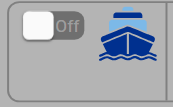
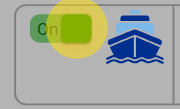
- Turn on the BWTS.
-
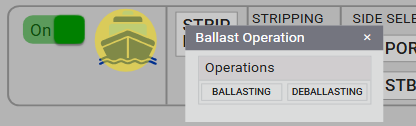
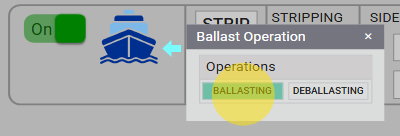
- Click the ship icon and select Ballasting Operation.
- Start the System in Recirculation
-
- Select the Recirculation side in the BWTS Panel.
-
- Select any one of the BPU units and a Fan in the BWTS Panel.
-
- Click Auto Start to initiate the BWTS system.
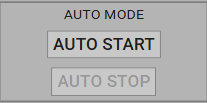
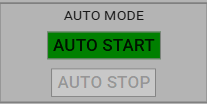
- Once the BWTS valves are open, the ballast pump can be started in recirculation mode.
- Assessment Phase – Operational flow and Assessment:
- Select the Side for Ballasting
After successfully running the system in recirculation:
-
-
- Select the desired side option (Port or Starboard) in the BWTS panel.
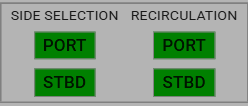
- Deselect Recirculation Mode to switch to Side Mode.
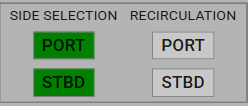
During the first 3 minutes, maintain a low flow of 1000 m³/h.
After 3 minutes, you will receive an alert to increase the pump flow rate.
- Run Both Sides of the System (Port and Starboard)
-
- Activate both the Port and Starboard sides of the system to ensure balanced operation. This milestone is complete when both sides are running.
- Attend to BWTS Alarms and Troubleshoot
-
- During the ballasting operation, various BWTS-related alarms may be triggered. It is essential to take appropriate corrective actions in response to these alarms.
-
- Booster Pump Abnormal
- Acknowledge the alarm on the BWTS panel, then select the other BPU.
-
- Low Water In TRO
- Acknowledge the alarm on the BWTS panel, then override the highlighted valve and reduce its opening to at least 40%.
-
- Low Injection Pressure Water In TRO
- Acknowledge the alarm on the BWTS panel, then increase the opening of the highlighted valve to raise the pressure.
-
- Filter Unit SF Abnormal
- Acknowledge the alarm on the BWTS panel, run the desired side in recirculation mode, and reset the filter pump.
- Fill No.2 and No.4 Wing Tanks to the Desired Level
-
- Fill tanks No. 2 and No. 4 to above 60% of their volume.
- Once completed, return the system to Recirculation Mode.
- Return the System to Recirculation
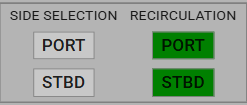
To switch to Recirculation Mode, select the Recirculation side in the BWTS panel and deselect the side selection.
-
- Stop the ballast pumps after the system has been switched to Recirculation Mode
- Stop BWTS
-
- Once pumps are stopped, Turn off the ballast operation toggle switch in the BWTS Panel.
- Close the Tank Valves
-
- After stopping the ballast pumps, close the tank filling valves that were opened during the process.
- BA511F
- BA507F
- BA510F
- BA506F
- Secure the System
-
- Close all valves that were opened during the BWTS auto operation by clicking Auto Stop. Then, manually close any other valves that were opened to complete the process.